
1 October 2026
Website maintenance: what it includes and why it is not optional
Maintenance means updates, backups, uptime monitoring and a response when something breaks. What happens to a site nobody maintains, what an SLA is, and how to choose between three tiers based on what an hour of downtime costs you.
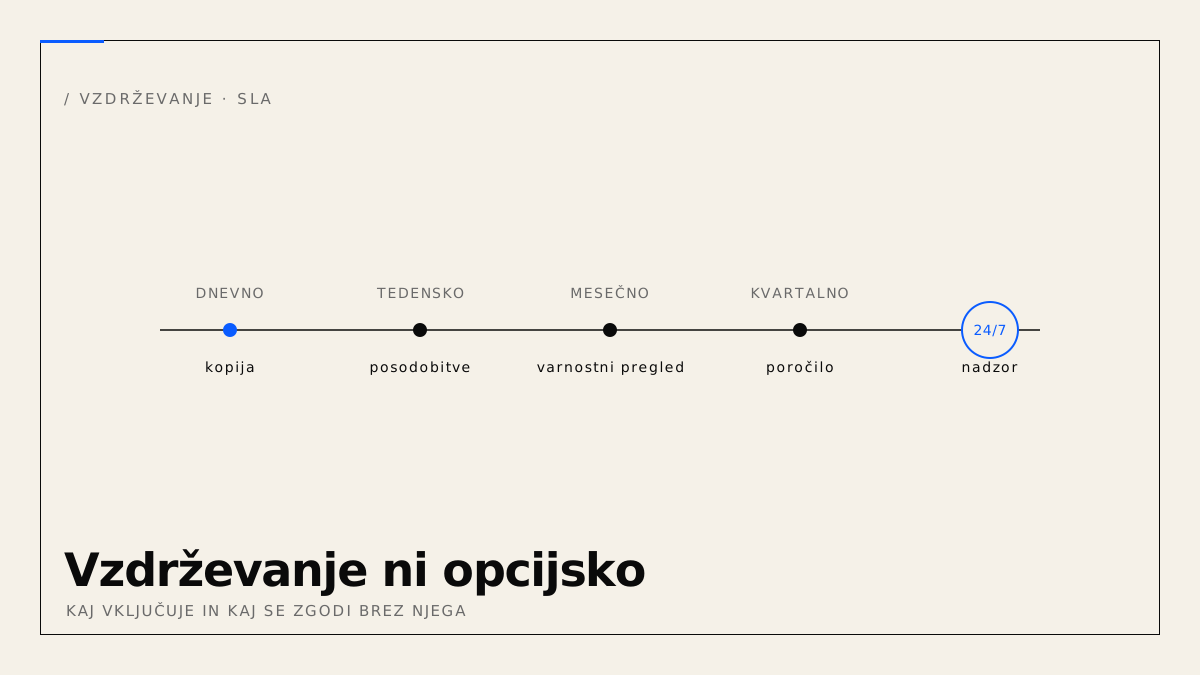
A website is not finished when it goes live. New vulnerabilities come out every week, a new browser version every month, a new search engine requirement every year. A site nobody maintains does not break all at once. It quietly falls behind until one day it fails or someone breaks in. Below is a breakdown of what maintenance actually includes, what an SLA means and how to pick the scope.
What does website maintenance include?
Four things: software updates, backups with an occasionally tested restore, uptime monitoring and an agreed response time when something fails. Everything else (content changes, new features, SEO) is an upgrade, not maintenance, and is billed separately or from the included hours.
Updates
On WordPress: the core, the theme and every plugin. On a custom-built site: the dependencies it is built with. An update is not just a click. Before it comes a backup, after it a check that the site still works, and for shops a check that checkout still works. That is why serious maintenance updates a staging environment first and the live site only afterwards.
Frequency depends on risk. A presentation site can live with monthly updates. A shop that takes payments needs weekly updates and security patches within 24 hours of a vulnerability being published, because automated attacks on known vulnerabilities are active within hours.
Backups
Daily, stored off the server, kept for at least seven days so you can go back to the state before a breach you only noticed three days later. And a restore tested at least once every few months. A backup that has never been restored is an assumption, not insurance.
Uptime monitoring
A service that checks every minute whether the site responds and alerts the maintainer when it does not. Without it, the outage is noticed by the first customer who calls you, or by nobody if it happened over the weekend. For shops and applications, monitoring also covers speed (Lighthouse, PageSpeed) and a monthly security review.
Response
Who picks up, how fast, and what is included. That is the part the SLA defines.
What is an SLA and why does it matter?
An SLA (Service Level Agreement) is a written agreement that sets the response time, the amount of included work and the site's availability. Without one, "maintenance" means you call and hope someone has time. With one, you know a report gets a response within 48, 24 or 8 hours, that you have two, five or ten hours of work included per month, and at the top tier a guaranteed 99.5% availability.
It matters because of asymmetry. A site that brings in inquiries runs without problems for months on average, then fails at the worst possible time. At that moment the price of maintenance does not matter; the number of hours until it is back does.
How do you choose a maintenance tier?
Ask yourself what an hour of the site being down costs you, and how many days the site can run with a known vulnerability.
| Your site | Tier | What you get |
|---|---|---|
| Presentation site, low traffic, inquiries also come by phone | Basic | monthly updates, daily backup (7 days), 24/7 monitoring, monthly security review, 48 h response, 2 h of fixes per month |
| Active shop, or a site that is the main source of inquiries | Standard | everything in Basic, weekly updates, security patches within 24 h of a CVE, staging environment, performance monitoring, 24 h response, 5 h of work per month, monthly health review |
| An application the business cannot operate without | Premium | everything in Standard, daily updates, 8 h response and 24 h at weekends, priority on incidents, 10 h of work per month, dedicated channel, 99.5% availability |
Tier details are on the services page. Contracts are monthly or annual, for WordPress and for custom applications.
What happens without maintenance?
For the first few months, nothing. Then a sequence we see on almost every site we take over:
- Plugins fall several versions behind. Updating them all at once becomes risky because the changes pile up, so the owner postpones it further.
- A known vulnerability appears. Automated scans find it within days.
- The site starts sending spam or redirecting visitors. Google flags it, search traffic drops.
- The owner notices when a customer tells them. There is no backup, or it is old, and recovery means rebuilding.
- Cleanup and recovery cost more than a year of maintenance.
A static site on Cloudflare, as described in WordPress or a custom-built website, removes this cycle almost entirely, because there is no server and no plugins to fall behind. Maintenance there shrinks to content changes and an occasional dependency update at rebuild.
If your site runs WordPress and nobody knows when it was last updated, start with the five checks from the security article. Then pick a tier from the table and put it in a contract.