
18 September 2026
How to check whether your website is secure
Five checks you can do yourself in half an hour: certificate, security headers, updates, exposed admin and backups. The signs that a site is already compromised, and the line where self-checks end and a pentest with written authorization begins.
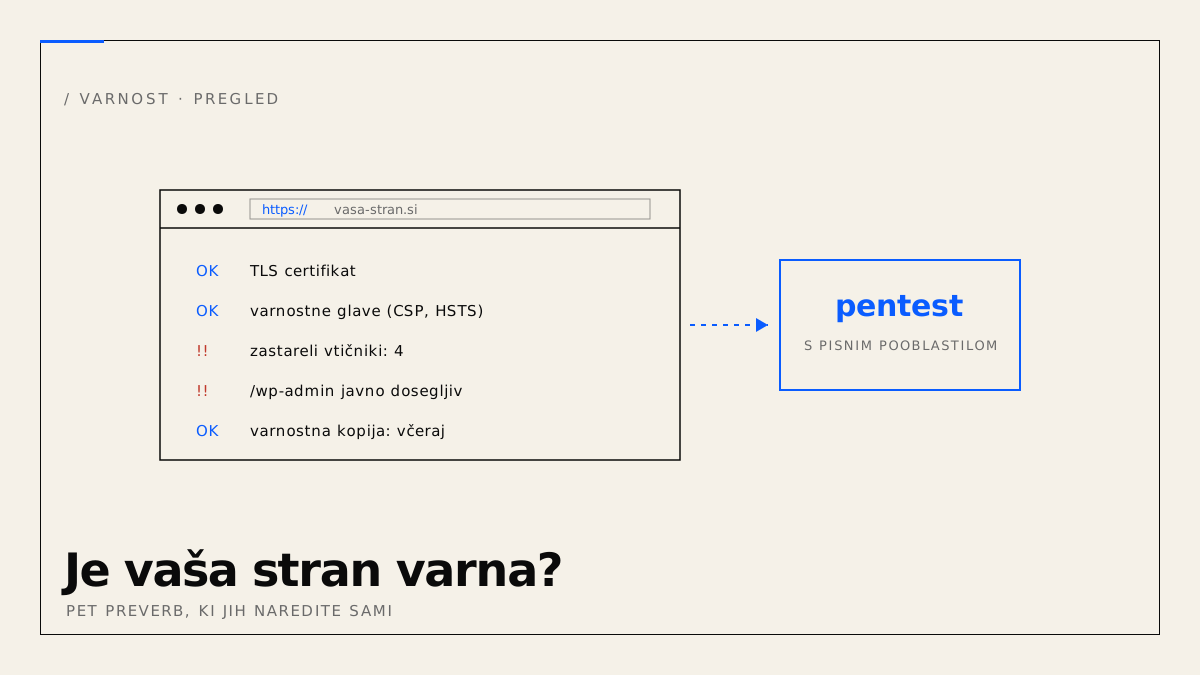
Most owners of small websites do not know whether their site is secure, because nobody has shown them how to tell. Below are five checks you can do yourself without technical knowledge, a list of signs that a site is already compromised, and an answer to when self-checks stop being enough.
How do you check whether your website is secure?
With five checks that take about half an hour in total: a valid HTTPS certificate, security headers, an up-to-date core and plugins, an admin that is not publicly reachable, and a backup that can be restored. If all five hold, the site is protected against most automated attacks, which make up the large majority of intrusion attempts on small sites.
1. HTTPS and the certificate
Open the site and check the padlock in the address bar. Then enter the address at SSL Labs. A grade of A or A+ is fine. B or lower means an outdated protocol or weak cipher, which the host usually fixes with a single setting. Also check that the http:// version redirects to https:// automatically.
2. Security headers
Enter the address at securityheaders.com. The tool checks whether the server sends the headers that tell the browser what it must not do: Content-Security-Policy, Strict-Transport-Security, X-Content-Type-Options, Referrer-Policy. Most small sites on shared hosting get a D or F because nobody ever set these headers. The fix is a few lines of configuration.
3. Updates
On WordPress, log into the admin and look at the dashboard. The number next to "Updates" should be zero. If it is ten, you have ten known vulnerabilities with public patches and often public exploit scripts. An example of what one outdated component means: CVSS 10.0 in the WooCommerce Wishlist plugin.
On a custom-built site, ask the provider when a dependency with a security patch was last updated, and ask for an answer with a date.
4. Exposed admin
Type your-site.com/wp-admin into the browser. If a login form opens with no restrictions, every bot in the world can try to guess it. The minimum measure is two-factor login. Better is access only from specific IP addresses or behind a gate such as Cloudflare Access. On a custom-built site, check that the admin is not at a predictable address and has no default passwords.
5. A backup that can be restored
Ask: where is the last backup, how old is it, and when was a restore last tested. A backup nobody has tried to restore is not a backup. It must be stored off the server the site runs on, otherwise a breach or a host outage destroys both.
What signs show that a site is already compromised?
- Google shows "This site may be hacked" next to your site, or the browser shows a red warning screen. Check at Google Safe Browsing.
- Pages you never created appear under your domain in search results (pharmaceuticals, gambling, foreign languages).
- The site redirects visitors elsewhere, often only on mobile or only from search engines, so the owner does not notice.
- There are users in the admin you did not create.
- The host reports spam being sent from your account.
- The site is suddenly slow with no change in traffic.
If you notice any of these, do not delete anything. First request a copy of the current state, because it is evidence, then call someone who can assess the extent.
Can you test your own site's security yourself?
You can do the five checks above yourself, because none of them interferes with the site. Active testing, meaning searching for vulnerabilities with tools that send attack requests, is a different matter. If the site is on a shared server at a hosting provider, such testing can affect other customers on the same server and breach the host's terms. If the site runs on Wix, Squarespace or WordPress.com, testing without the provider's permission is a criminal offence under Slovenian KZ-1 Art. 221, even though the site is yours. The details are in our article on written authorization for a pentest.
When do you need a pentest?
When the site accepts personal data, payments or user logins, when a client, insurer or auditor asks you for proof of security, after a security incident, and before releasing a larger new application. GDPR Art. 32 requires "regular testing, assessing and evaluating the effectiveness" of security measures for anyone processing personal data; a pentest is the most direct way to meet and document that.
A pentest differs from a self-check in three ways. A person actively looks for ways in, rather than only checking settings. It follows a methodology (OWASP Top 10, ASVS, PTES), so coverage is verifiable. And it always starts with a written authorization that defines scope, time window and permitted methods. How it works with us, including test types and timelines, is on the service page.
Start with the five checks. If two or more fail, fix those before thinking about a pentest, because otherwise the pentest will only find what you already know.