
29 May 2026
Case study: how we'd build an AI agent for quotes
A reference implementation for a make-to-order business: Claude Desktop describes a job, an MCP server computes the price deterministically and returns a PDF quote. Architecture, pricing model, tools and an example flow.
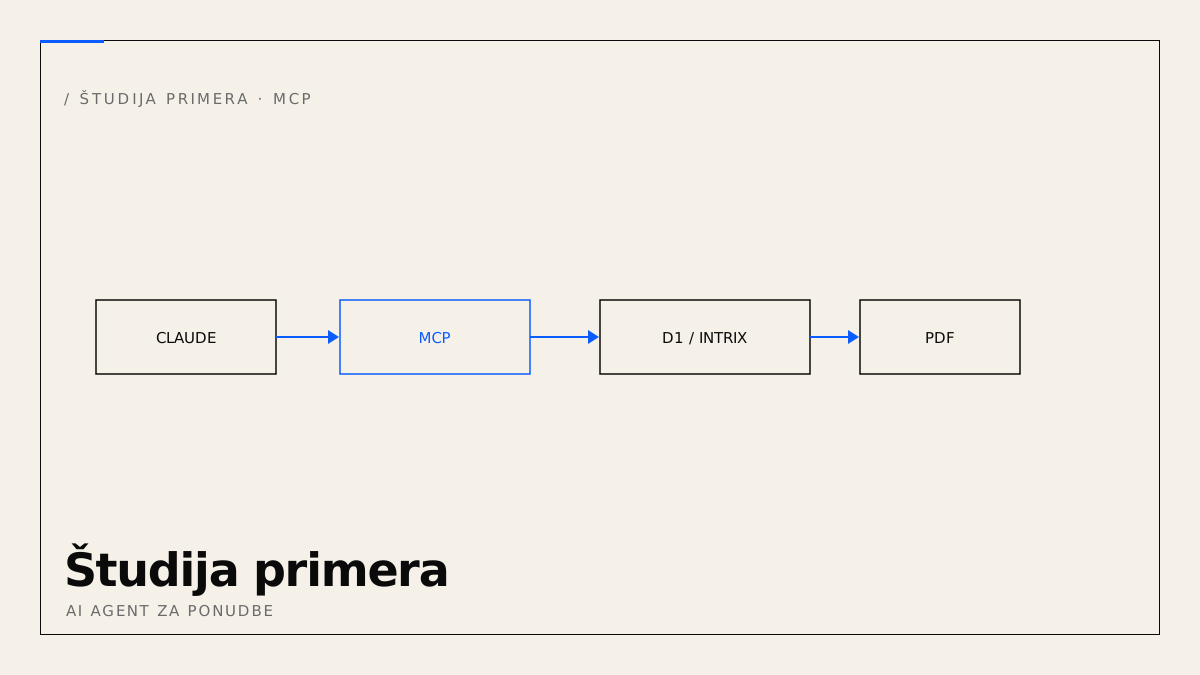
This is a reference implementation (not a delivered project): how we'd build an AI agent that produces quotes for a typical make-to-order business — say a joinery making windows and doors. Goal: the owner describes a job in Claude Desktop and gets back a numbered PDF quote. The key principle from the previous article holds: a tool computes the price, not the model.
Architecture
Claude Desktop  ──MCP/HTTP──▶  MCP server (Cloudflare Worker)
                                  ├─ pricing rules (deterministic)
                                  ├─ data: D1  OR  Intrix CRM (via API)
                                  └─ PDF generator (+ R2 storage)
The agent only gathers parameters and calls tools; all logic and data stay on the server, under control.
Step 1 — the pricing model
First we turn the price list into rules. For a window, for example:
area_m2 = (width_mm * height_mm) / 1_000_000
price = area_m2 * price_m2[material]       // wood, alu-wood …
      + glazing[type]                      // single/double/triple
      + hardware
      + (install ? install_m2 * area_m2 : 0)
The pricing tables (price_m2, glazing, install_m2) are data you can edit without touching code. This is 80% of the project's value.
Step 2 — MCP tools
The server exposes a few tools over MCP. calculate_quote with a clear schema:
{
  "name": "calculate_quote",
  "inputSchema": {
    "type": "object",
    "properties": {
      "items": { "type": "array", "items": {
        "type": "object",
        "properties": {
          "type": { "enum": ["window", "door", "fire_door"] },
          "width_mm": { "type": "integer" },
          "height_mm": { "type": "integer" },
          "material": { "enum": ["wood", "alu-wood"] },
          "glazing": { "enum": ["single", "double", "triple"] },
          "quantity": { "type": "integer" },
          "install": { "type": "boolean" }
        }, "required": ["type", "width_mm", "height_mm", "quantity"]
      }}
    }, "required": ["items"]
  }
}
It returns priced line items and a total (with and without VAT). A second tool, create_quote, saves the quote, assigns a number and returns a PDF.
Step 3 — storage and PDF
A simple table in D1:
CREATE TABLE quotes (
  id INTEGER PRIMARY KEY AUTOINCREMENT,
  number TEXT UNIQUE, customer TEXT,
  items TEXT,          -- JSON
  total_net REAL, total_gross REAL,
  created_at TEXT DEFAULT (datetime('now'))
);
The PDF is built from a template with their logo, terms and validity; stored in R2 and returned as a link.
Step 4 — connecting Claude Desktop
No local server — Claude Desktop connects over HTTP with a bearer token (same in Claude Code):
claude mcp add --transport http quotes https://example.com/mcp \
  --header "Authorization: Bearer <TOKEN>"
Option: integration with Intrix (existing ERP)
If the company already uses Intrix (a CRM with the inquiry → quote → deal path), the agent doesn't need to build a separate customer directory. The MCP server connects to Intrix via its API:
find_customer— reads customers from the Intrix CRM (no data duplication).create_quote— writes the quote back into Intrix as a quote linked to the customer, so it stays in the existing sales pipeline.
The pricing calculation stays in the MCP server (deterministic rules), since make-to-order prices are often not part of the ERP. You get a single source of truth — the sales process in Intrix is unchanged; AI only shortens the step from description to quote. The integration scope depends on Intrix's API/integration options, which we align with the vendor (Intera).
Example flow
Owner: Quote for Novak — 3 wooden windows 1200×1400 double glazing with installation, 1 fire door 900×2100.
- Claude calls
calculate_quotewith three line items → gets prices and a total. - Claude calls
create_quote→ quote 2026-041, PDF link (and a record in Intrix, if connected). - The owner reviews the PDF, approves and sends. A minute in total.
Security and phases
- Deny-by-default bearer token; the agent gets only the quote tools.
- Customer data in the EU (GDPR).
- Phases: (1) capture the price list, (2)
calculate_quote+create_quote+ PDF, (3) Claude Desktop and onboarding, (4) CRM/email.
The result is a consistent, numbered, stored process — a draft a human approves. That's exactly our AI integration service.